QR Kod Okuyucu
Karekod okuyucu aracımızı kullanarak QR kodlarını gerçek zamanlı olarak otomatik tarayın.


Invalid File Detected
Try another file.
Web kamerasını kullanın veya QR kodunuzu yükleyin
Upload Files Here
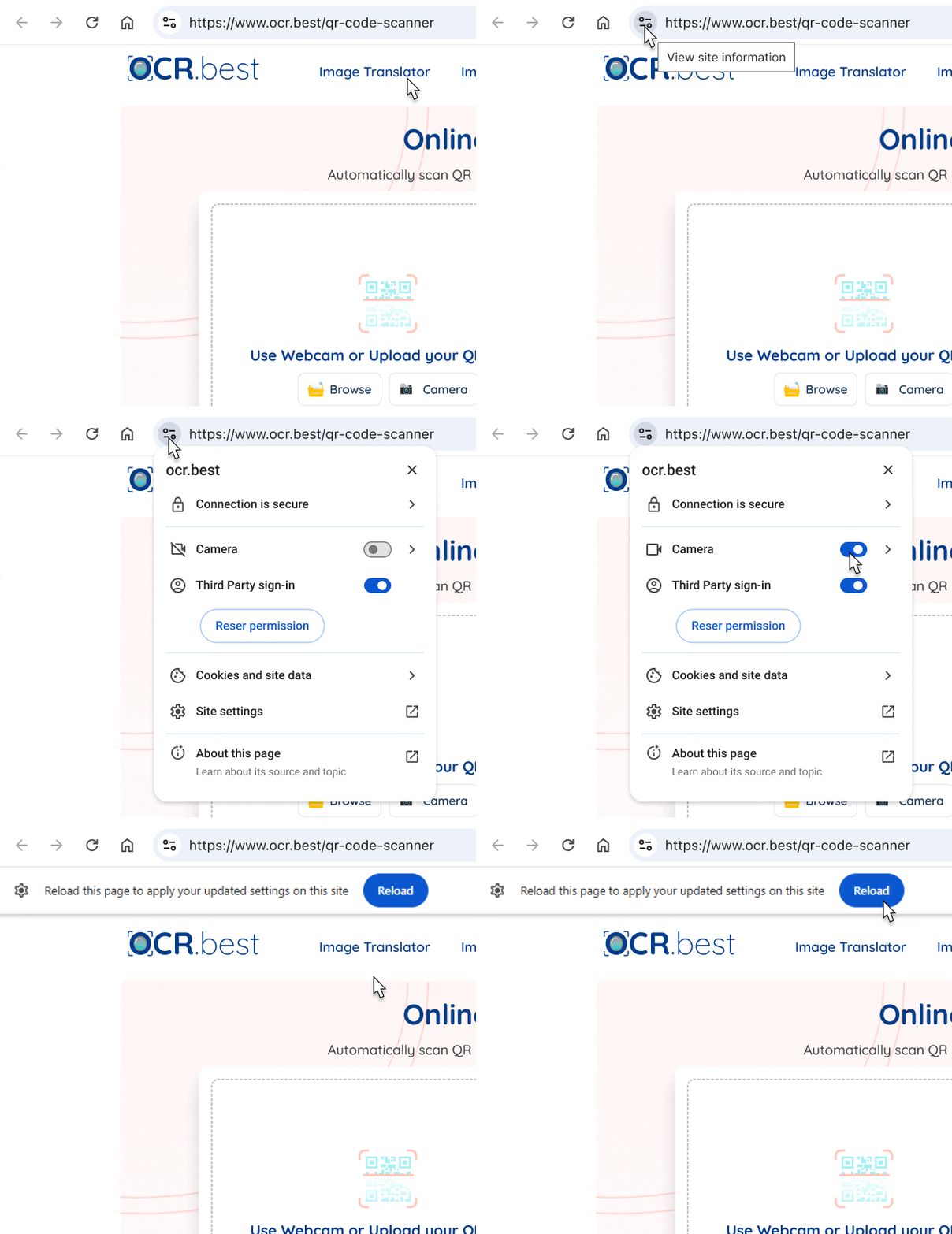

 Gizlilik Korunmaktadır: Herhangi bir veri iletmiyoruz veya saklamıyoruz.
Desteklenen dosyalar

JPG (JPEG), PNG, GIF, JFIF, BMP, WebP, TIFF, HEIC


Rate your Experience

Your feedback will help us improve our tool quality!


Review Submitted
Thank you for your honest feedback!
Kare Kod okuyucu mız, QR kodlarını hızlıca tarayıp çözmenize yardımcı olur. İster bir URL, ister iletişim bilgileri veya başka herhangi bir veri içeriyor olsun; bu QR kod okuyucu, hiçbir ek uygulamaya gerek duymadan, verileri birkaç saniye içinde otomatik olarak ayıklayacaktır.
karekod okut Online Nasıl Okutulur?
QR okuyucu kullanarak QR kodu okut için şu basit adımları izlemeniz yeterli:
- QR kodunu taramak için “Kamera”yı kullanın veya görseli yükleyin.
- Alternatif olarak, taratmak için bir QR kod görselinin URL'sini yapıştırın.
- Kare kod okuyucu, QR kodunuzu gerçek zamanlı olarak tarayacak ve içindeki verilerin kodunu çözecektir.
- Son olarak, sonuçları “kopya” veya “İndirmek”.
Other Tools
Frequently Asked Questions
Is this QR code scanner online free to use?

Yes! It is completely free to use, allowing you to scan unlimited QR codes at zero cost.
How to scan QR online without installing an app?
Our QR code reader lets you scan QR codes without installing an app. Simply upload the image or use your device’s camera, and it will instantly display the encoded data.
Can I scan a QR code from an image or a screenshot?
Yes! Simply upload the image or screenshot of the QR code; our tool will scan it in real-time and decode its data instantly.
Is my data safe when I scan a QR code online with this tool?
Yes. We ensure that all of your data is safe and secure. Our tool doesn’t store or share any of your data.
Does this QR code scanner work on iPhone, Android, and Desktop?
Yes! Our QR code scanner works across all devices. Whether you have an iPhone, an Android, or a Desktop device, you can simply use this tool in a browser.
What to do if my QR Code is not scanning?
If your QR code is not scanning, clean your device’s camera lens, move the QR code closer or farther from the camera, and make sure there is proper lighting. If you are scanning a printed or digital image, ensure the code is not blurry or damaged.


